Procedures in the ChiroOffice section of ChiroSuiteEHR refer to the items for which patients will be billed and accounting items showing payments, debits and credits. These items will appear and be used in the Transaction window, and will appear on billing statements and the CMS-1500.
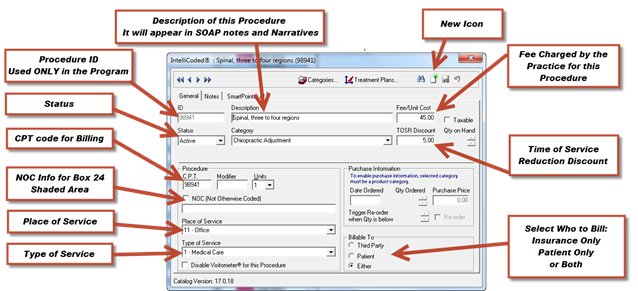
To add a new procedure, click the New button in the upper right hand corner of the Procedures catalog browser window (Figure 28), and fill in the information to make it functional.
Figure 28